 RotaCell
Your shift, front and centre.
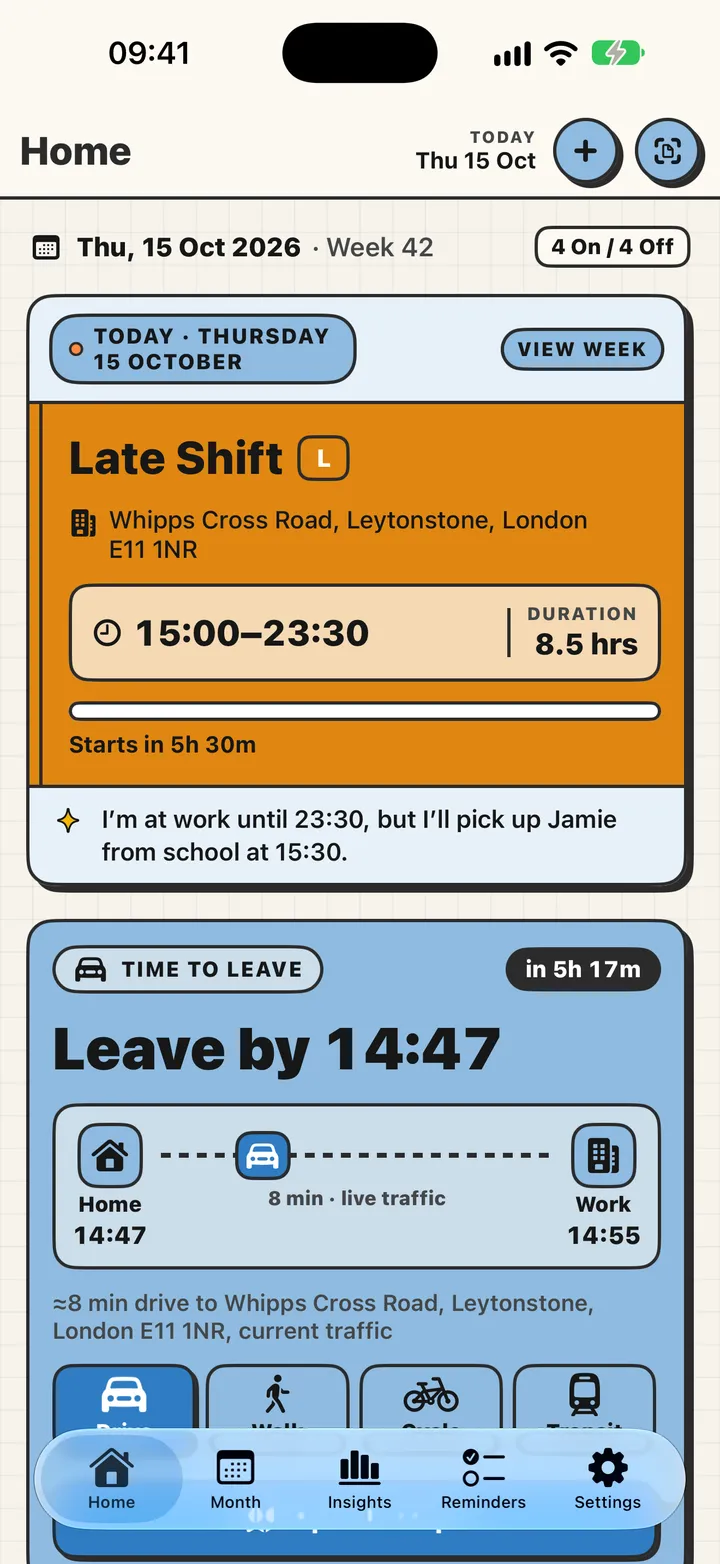
Open the app and you already know: what you're on, when it starts, how long it is, and how long until you need to leave.
CountdownLive trafficPLUSDrive · walk · cycle · transit
RotaCell keeps every shift, every pound and every hour of rest in one place. Nurses, carers, drivers, chefs, security, anyone whose week doesn't fit nine to five. It's bold, it's quick, and it actually looks after you.
iPhone and Apple Watch. Free to start. No account, no ads.
RotaCell is built for all three. The iPad version uses the whole screen with a sidebar, and your Apple Watch follows the look you pick on your iPhone.
Scroll through the things RotaCell takes off your mind. Everything you see is the real app.
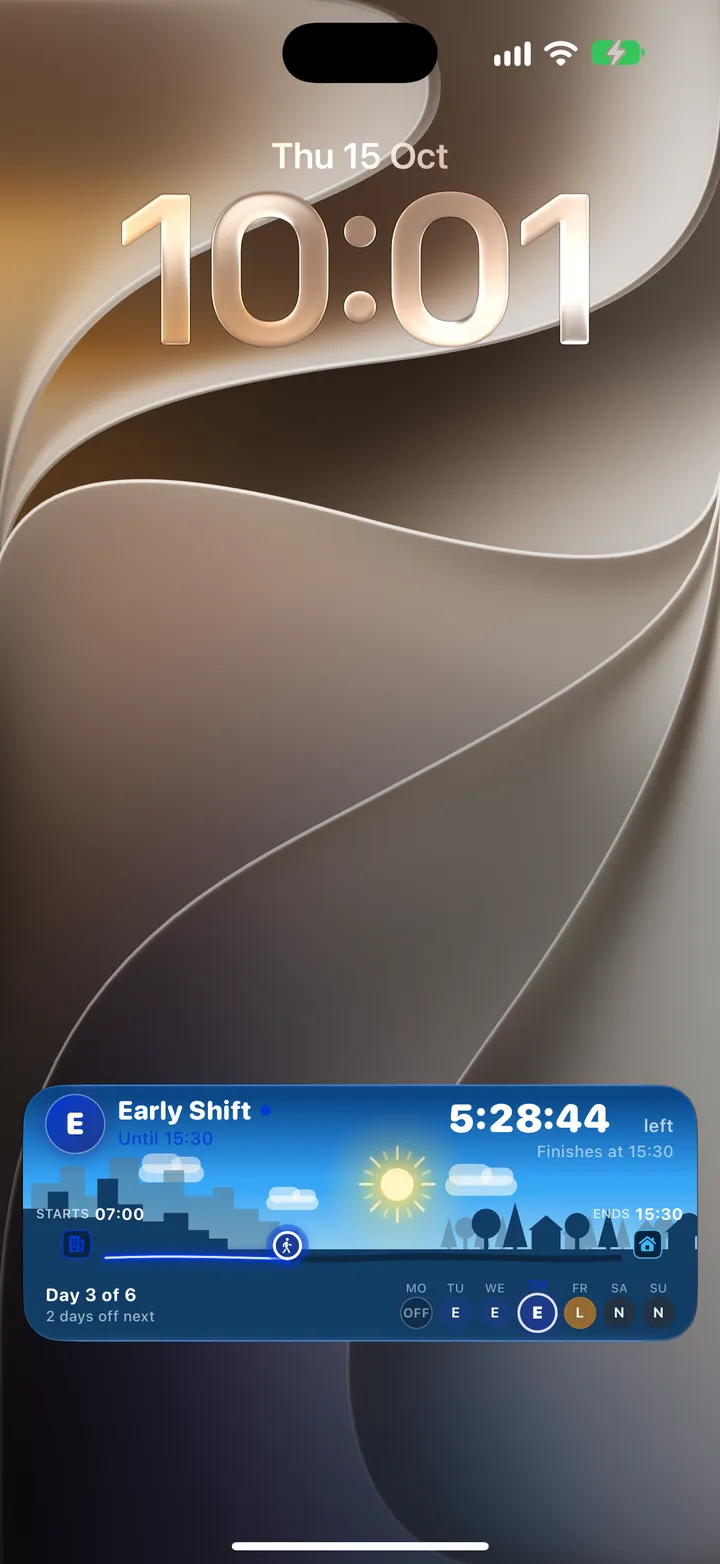
Open the app and you already know: what you're on, when it starts, how long it is, and how long until you need to leave.
A live countdown under a sky that follows your shift: sun, dusk, moon and stars. On the Lock Screen, in the Dynamic Island, on your Apple Watch and in CarPlay.
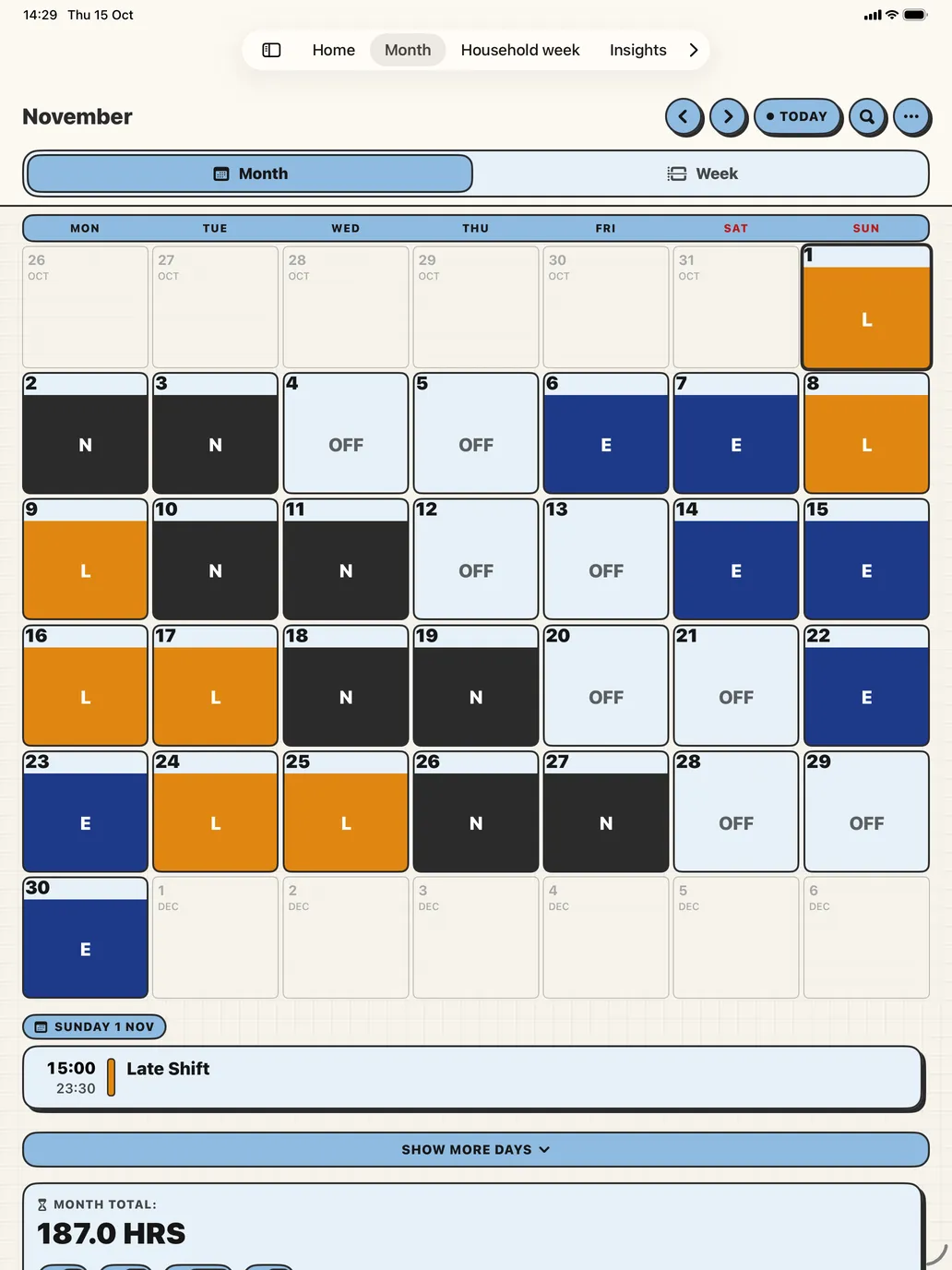
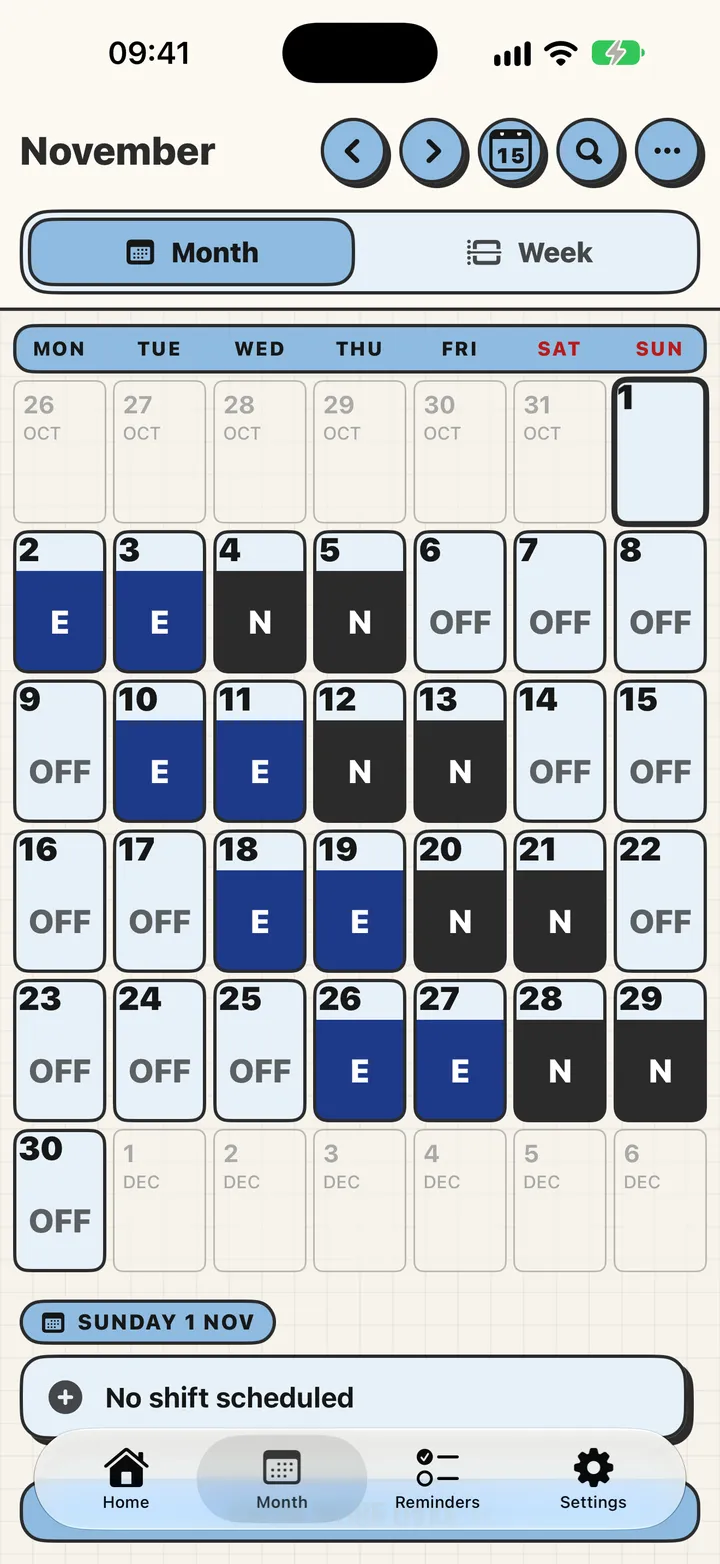
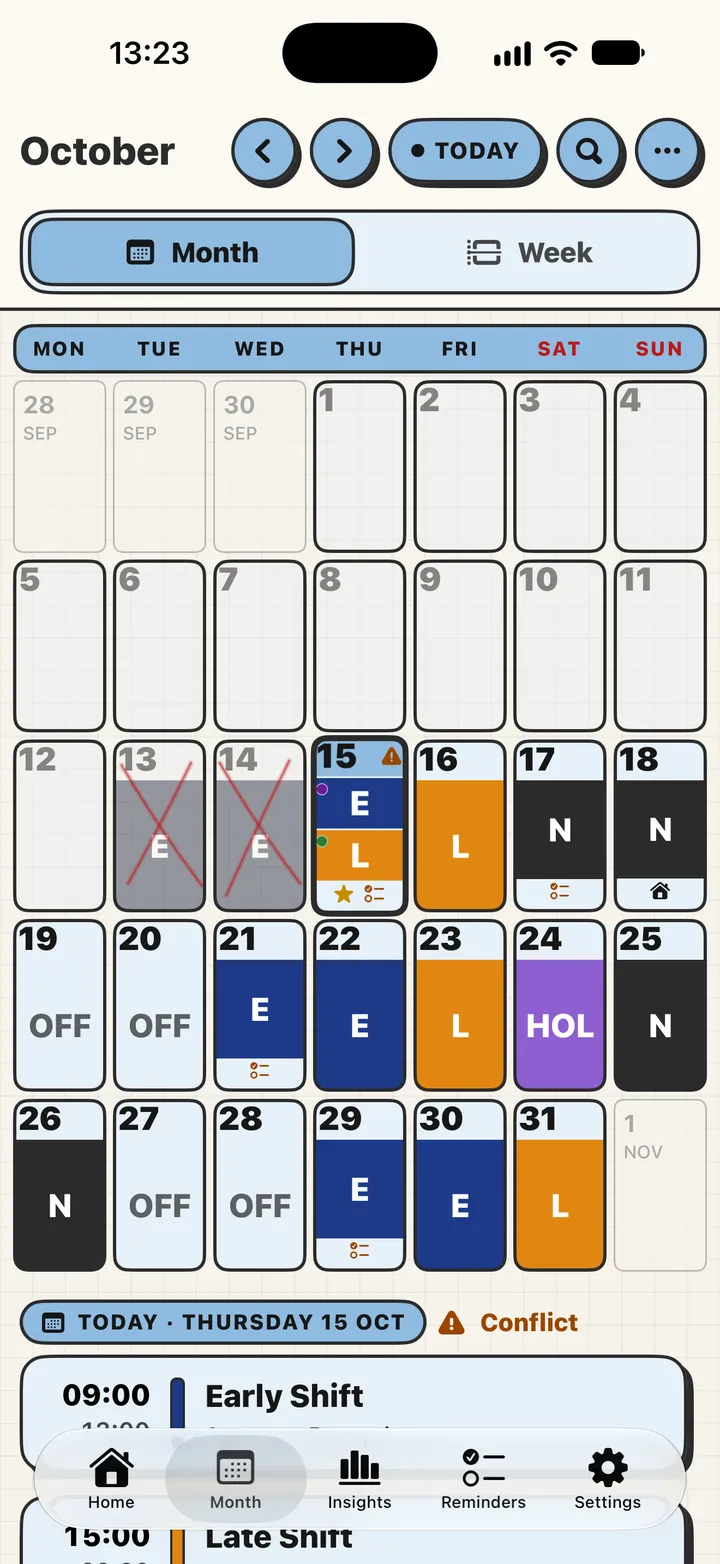
Colour-coded shifts, corner badges for overtime and notes, and a footer that adds the month up. Swap to the week with one tap.
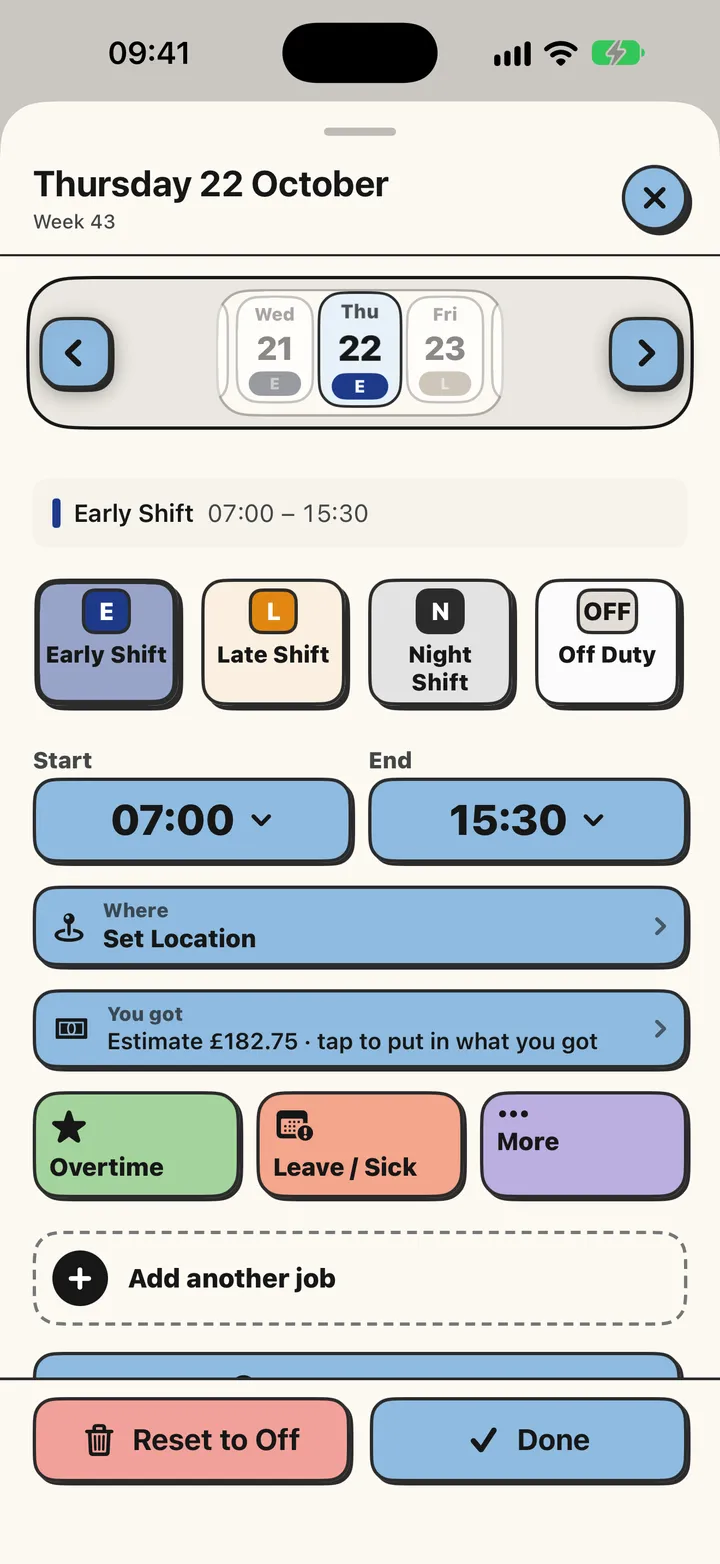
Tap any day to swap a shift, add overtime, mark leave, sick or training, or add a note. Restart or change your whole rota and keep your past days.
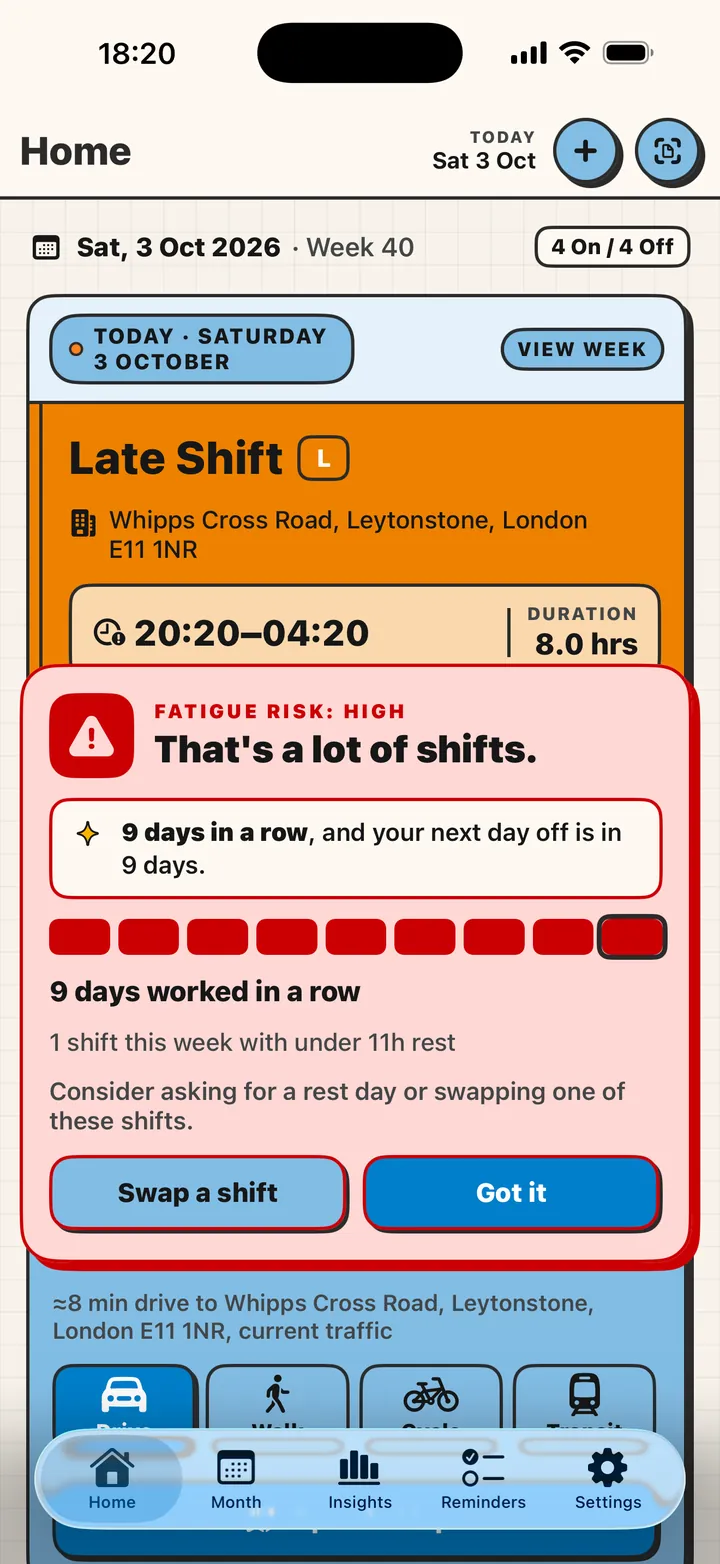
It spots a heavy stretch, a short rest before tomorrow, or a clash with a reminder, and tells you before it hurts. RotaRest reads your Apple Health sleep so the advice fits your real week.
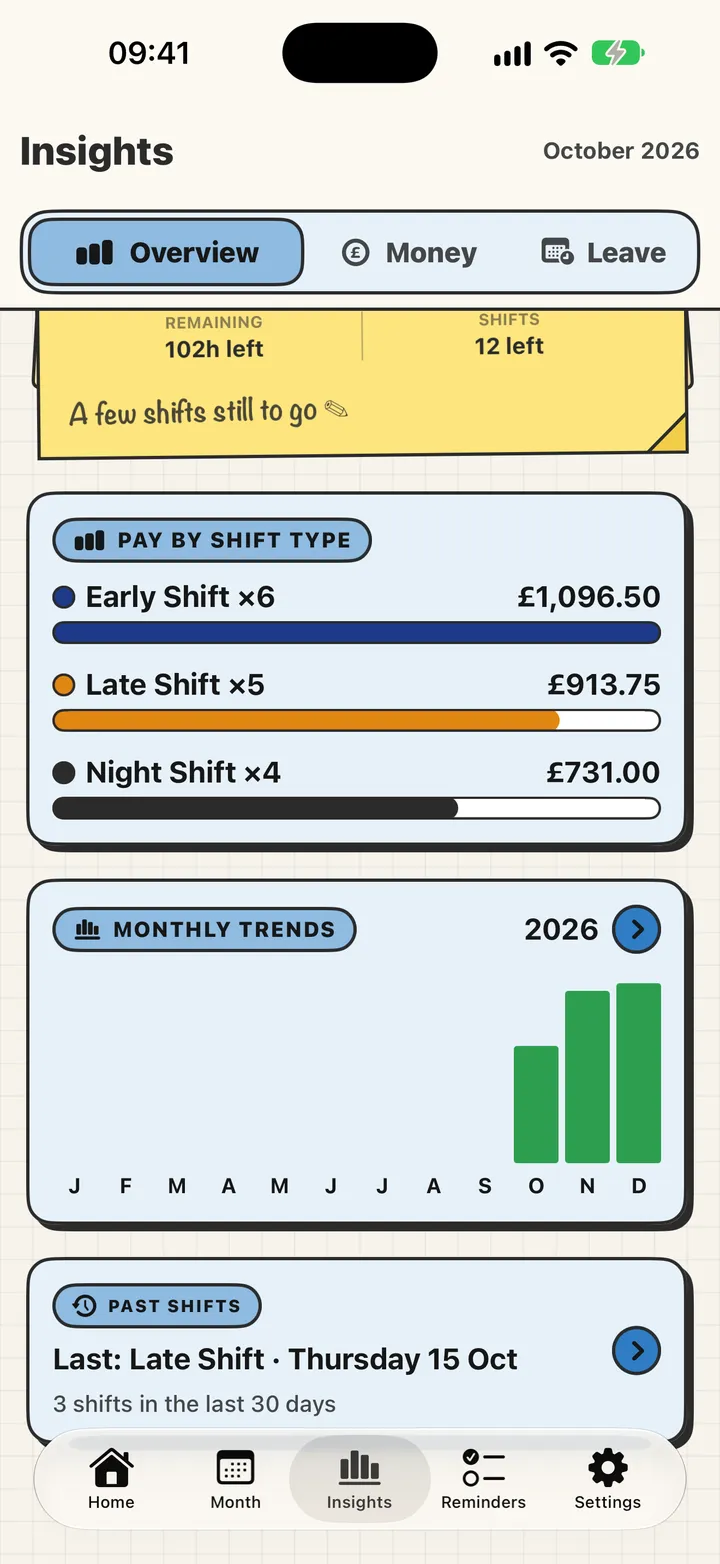
Hours, overtime and pay in plain numbers, with a trend over the months. Check a payslip against your rota and see a tax estimate. Estimates are approximate, and we say so on screen.
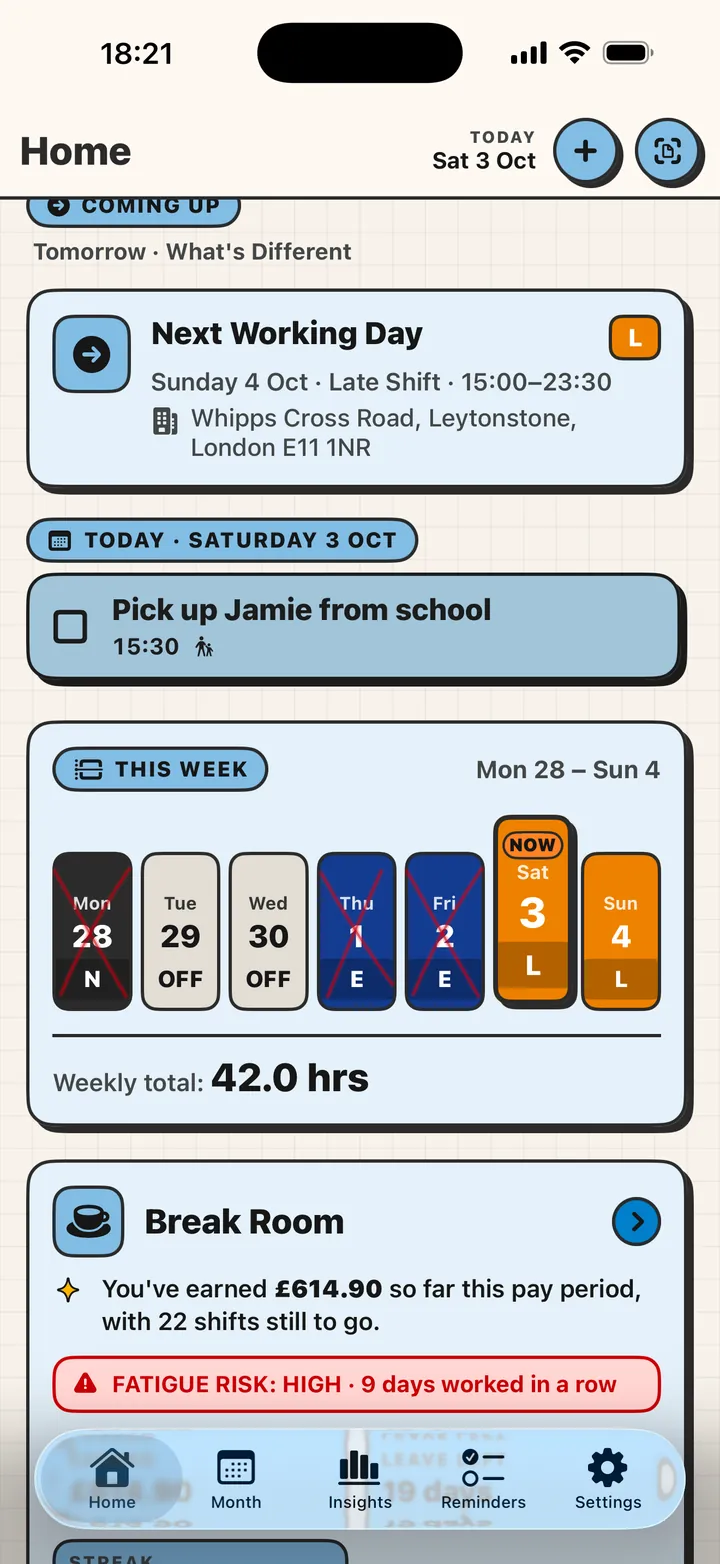
This week's shifts in one strip, then a Break Room with what you've earned so far, the leave you have left, your sleep and your streak.
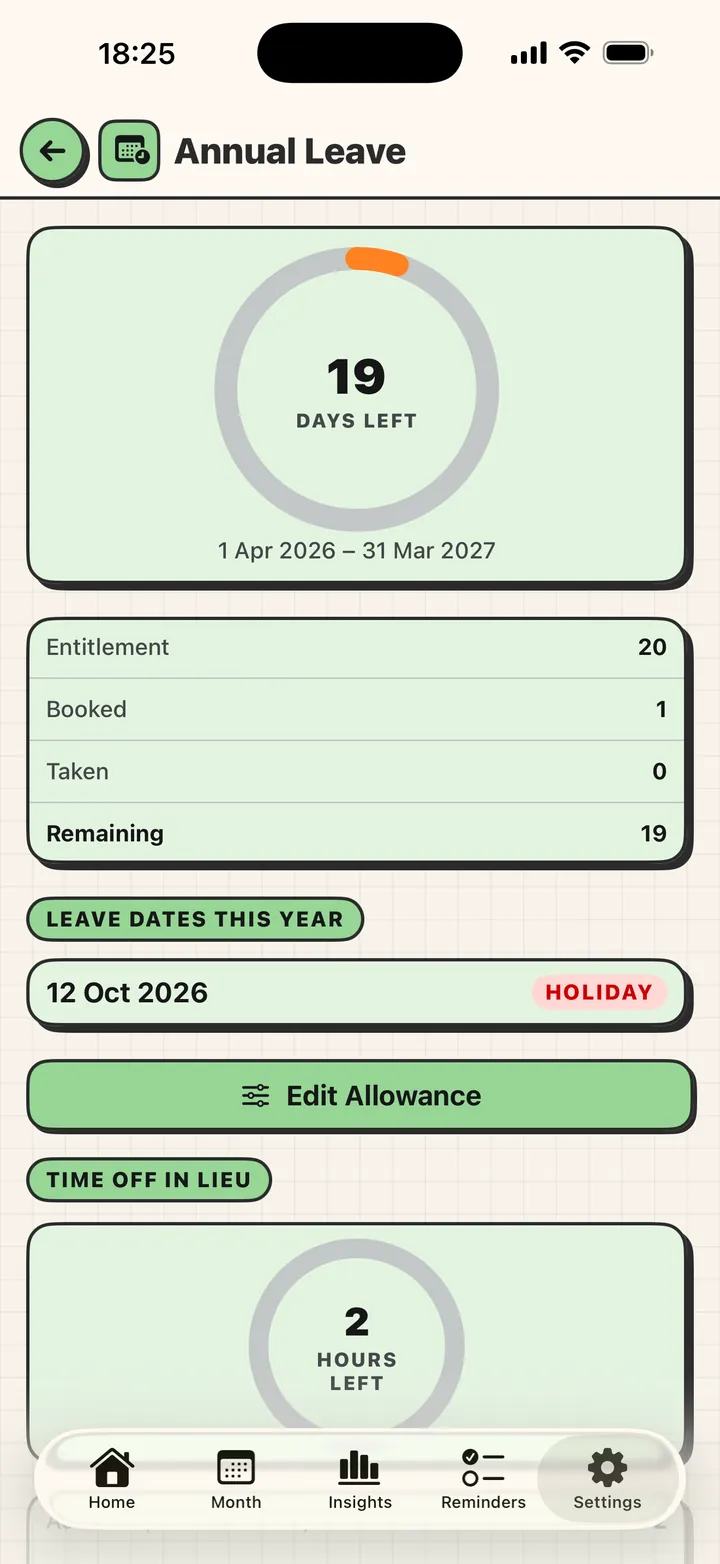
Book it, see what's left, and watch time off in lieu build up from the overtime you work. No spreadsheet.
Hold more than one rota at once. RotaCell warns you the moment two shifts overlap or leave you no time to rest.
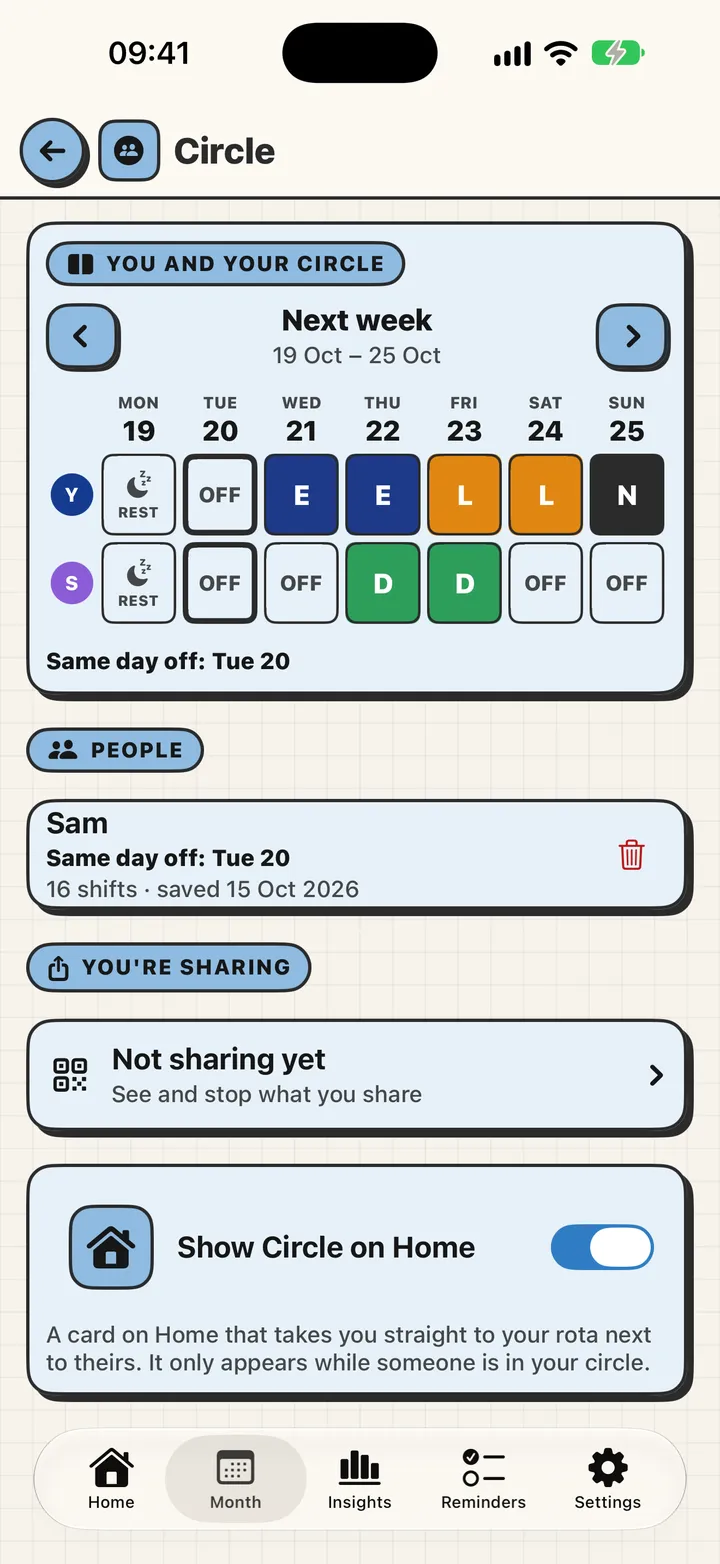
A partner, the other parent, a friend, someone you work with. Invite them with a link, a QR code or iCloud, and they see your shifts. It stays up to date by itself.
Paper, Slate, Graphite, Pop, Forest or Berry. Bold coloured paper, thick outlines and a little bounce in every tap, and your widgets and Apple Watch follow your pick. Prefer something more like a handheld? There's an LCD look too.
Trade a shift with another day and keep everything else exactly as it was.
Photograph the paper rota, tap your name, and your calendar fills itself. On-device, and free.
Short turnaround between shifts? RotaCell flags it so a tired week never sneaks up.
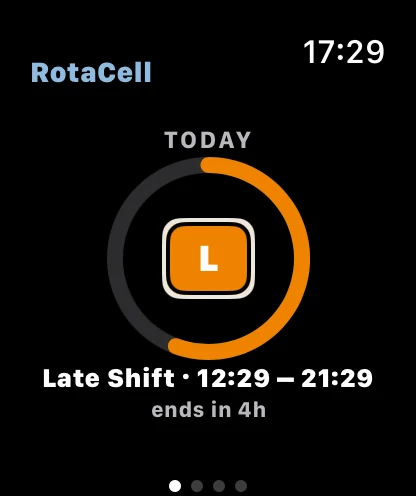
Today's shift, the countdown and your next shift on Apple Watch, in your chosen look.PLUS
Today, this week and your reminders on the Home and Lock Screen.
Their own sounds and pictures, with buttons to remind you later or tick it off. Pull one down for a RotaCell card.
Hours, overtime, a tax estimate and a payslip check against your rota. Always labelled as approximate.
Press and hold the icon to jump straight to your month, your insights or Payslip Check.
English, Spanish, Polish, French, German and Chinese. Long words fit; we never shrink the letters.
One rota for the whole team. Managers publish it, assign and re-assign shifts in a tap, and everyone sees who's on, who's free and who can cover. Built on the same calm, colourful app your people already love.
We're building it carefully. Tell us what your team needs and we'll shape it with you, and let you know first.
No account to make. No ads. No tracking. What you share, you choose, and how it's shared is spelled out in plain words.
Read the privacy policyYou can start for free and use the core of the app. RotaCell Plus adds things like Time to Leave with live traffic, the Live Activity, the Apple Watch app, fatigue warnings, Payslip Check and sharing with Circle.
No. There's no sign-up and no login. Open the app and start.
Only the people you invite to your Circle, and only what you choose to share. You can stop sharing at any time.
RotaCell is on iPhone and Apple Watch today, and Android is on the way. A shared live link already opens in any browser.
If it repeats, changes weekly, or lives on a piece of paper, yes. Set it once, or scan the printed rota.
Get RotaCell and let your week make sense.